CASE STUDY / DESIGN SYSTEM

Building a Design System Without Stopping Product Delivery

B2B No-Code Media Platform · Storybook · Chromatic · 100–150 components · 9 months

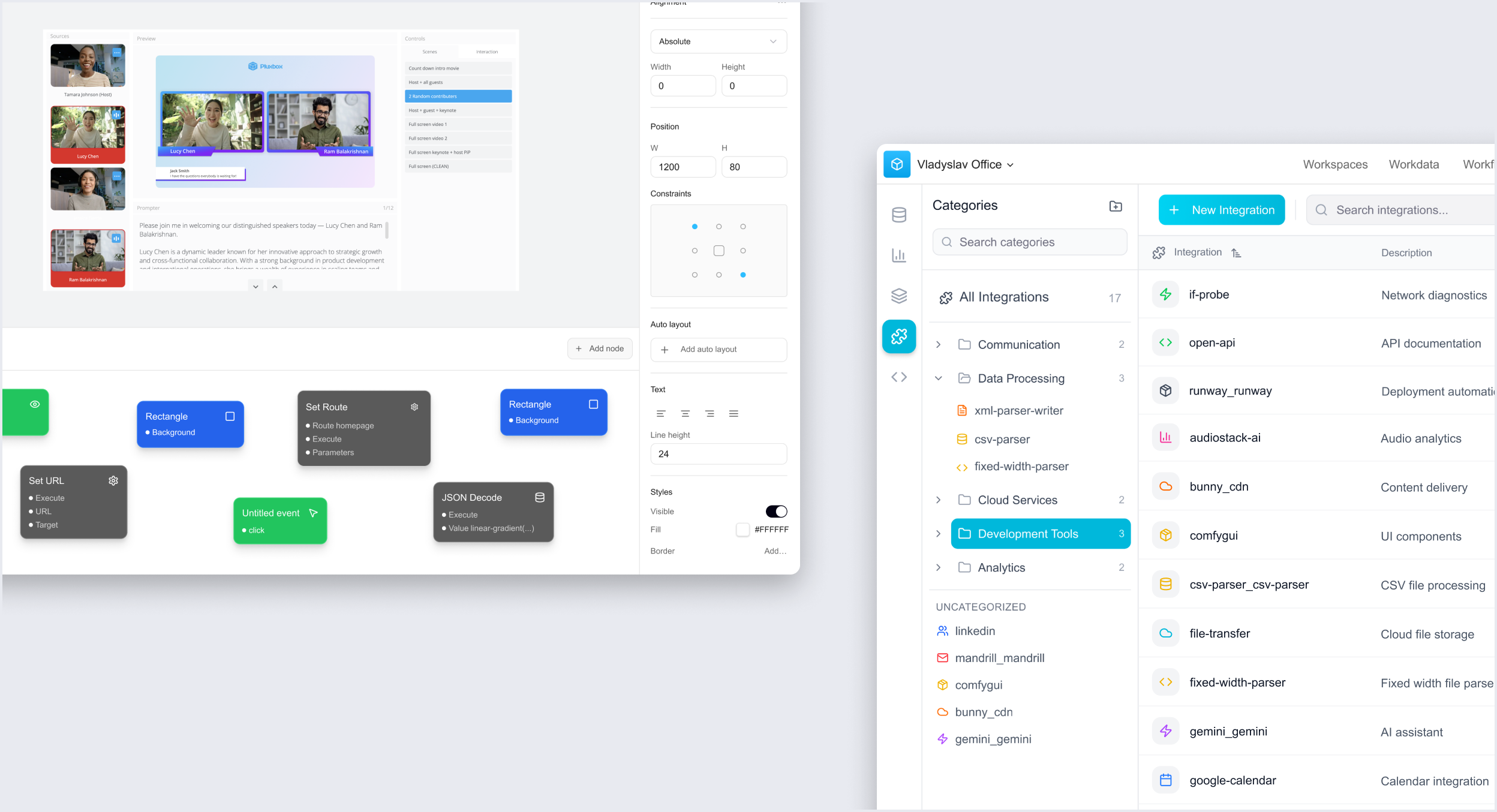
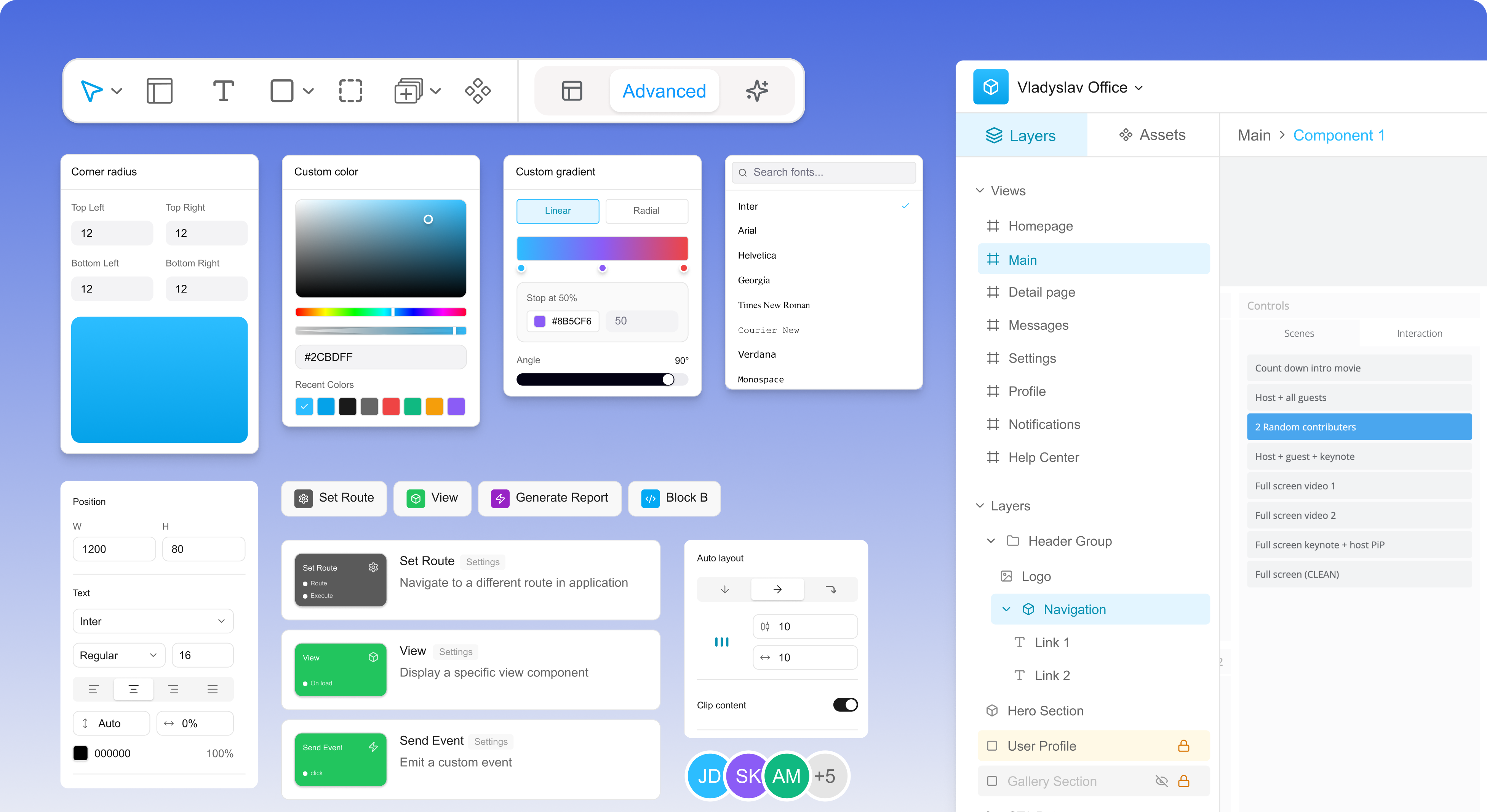
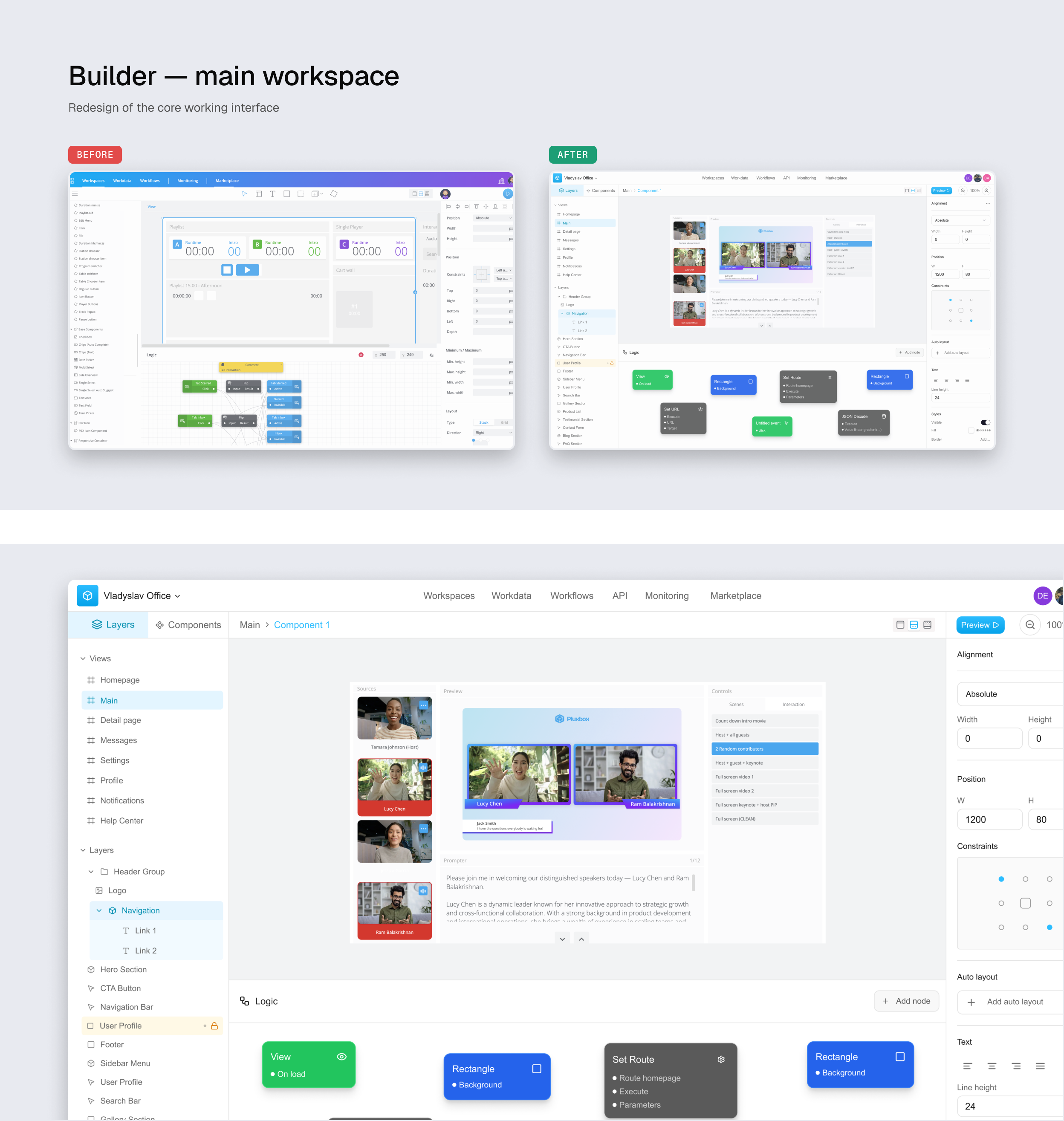
Pluxbox product dashboard interface

COMPANY

Pluxbox

DOMAIN

Media · Broadcast B2B · no-code

PERIOD

Aug 2025 — May 2026

TEAM

1 designer + Frontend + PM + QA

SCALE

100–150 components

STATUS

Library complete, adoption 50–70%

TL;DR

Design system from scratch

Pluxbox is a B2B platform for broadcast teams — scheduling, content management, media workflow automation. The product was scaling fast, the UI wasn’t: conflicting patterns everywhere, handoff through verbal agreements, 5–7 rounds of back-and-forth per component.

I built a design system from scratch — token architecture, full component library, Figma documentation, Storybook and Chromatic integration — without pausing feature delivery. Iterations dropped from 5–7 to 1–2. Visual QA fixes went from 3–4 per sprint to almost zero. 82% of component code shipped to production without rework.

RESULTS

What changed

ITERATIONS PER COMPONENT

1–2

down from 5–7

VISUAL FIXES PER SPRINT

0–1

down from 3–4

CODE TO PROD WITHOUT REWORK

82%

new baseline

SCREENS ON DS

50–70%

migration ongoing · 9 months

Metric

Before

After

Iterations per component

5–7

1–2

Visual fixes per sprint

3–4

0–1

Component code shipped without rework

82%

Screen adoption

0%

50–70%

01 — CONTEXT

Two users, one interface.

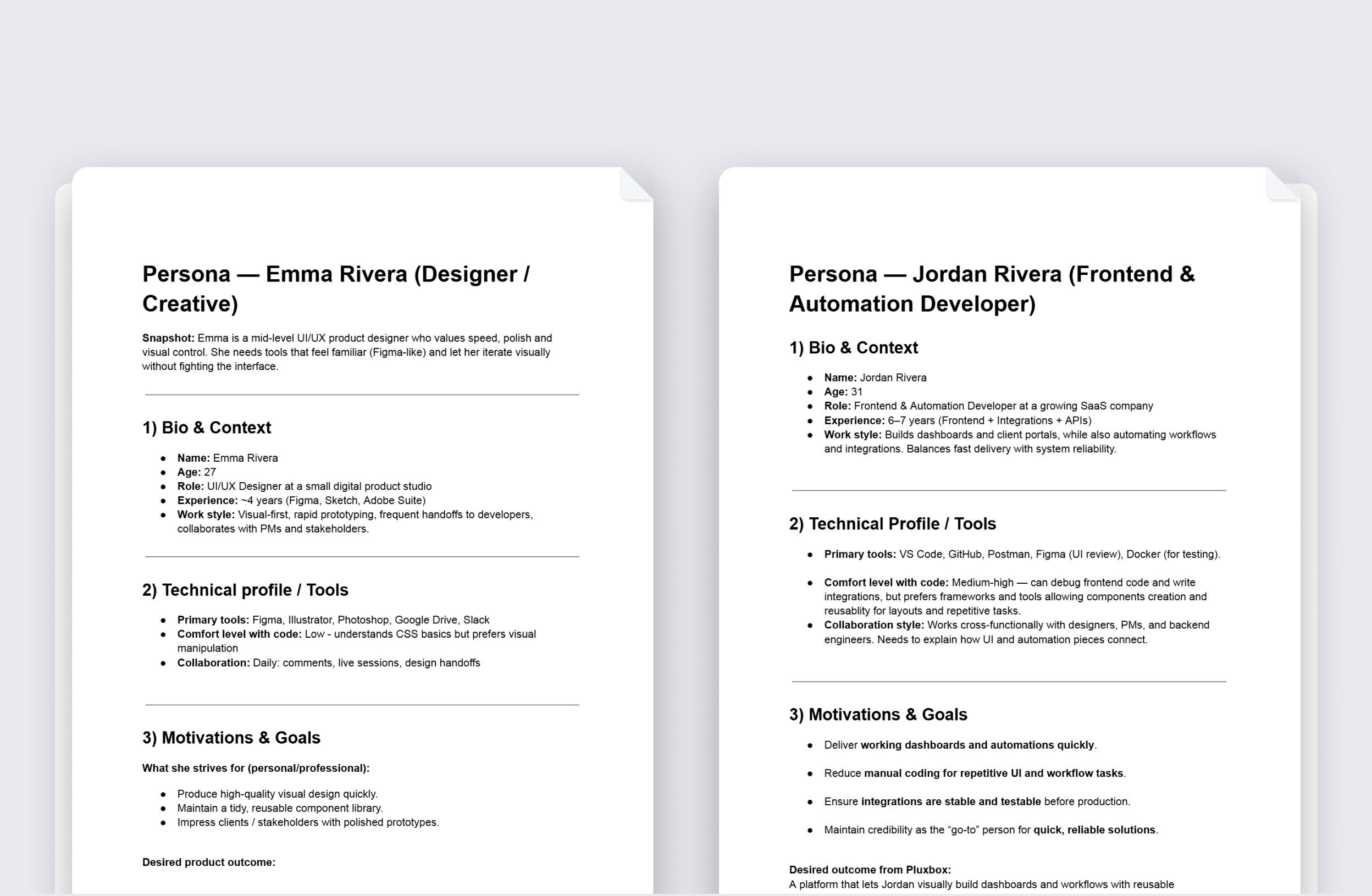
Persona and background overview: technical operators and non-technical managers

Pluxbox serves two types of users: technical operators who live in the interface all day and non-technical managers who check in less frequently. Both work with dense, state-heavy screens where a wrong status or missed error state has real consequences. The important thing was to preserve the aesthetic appeal while making it technically appealing and readable

Consistency here isn’t about polish — it’s about reliability.

CONSTRAINTS

No dedicated DS team. No design freeze. Active backlog throughout. The system had to be self-sufficient — developers and PM use it without pulling the designer into every question.

PROBLEM

No shared UI language. The same pattern existed in 3–4 variants depending on who built it. Components in Figma didn’t match code — developers filled in the gaps, which meant 5–7 clarification rounds per component. Visual bugs were caught at QA, not before.

The platform was about to grow. Building on top of that would have compounded the debt with each release.

02 — MY ROLE

What I owned, what I shared.

Breakdown of responsibilities owned and shared with the team

LED

UI audit · token architecture (primitive + semantic) · 100–150 components with full state coverage including composites · Figma documentation · Storybook + Chromatic integration · AI tooling for documentation and state coverage

WITH THE TEAM

Prioritisation with PM (Jira) · token naming alignment with frontend · composite structure with developers · Chromatic PR flow with QA

03 — PROCESS

Five stages, no design freeze.

01

STEP

Audit

Identify duplicated patterns and inconsistent components across the live product.

02

STEP

Foundations

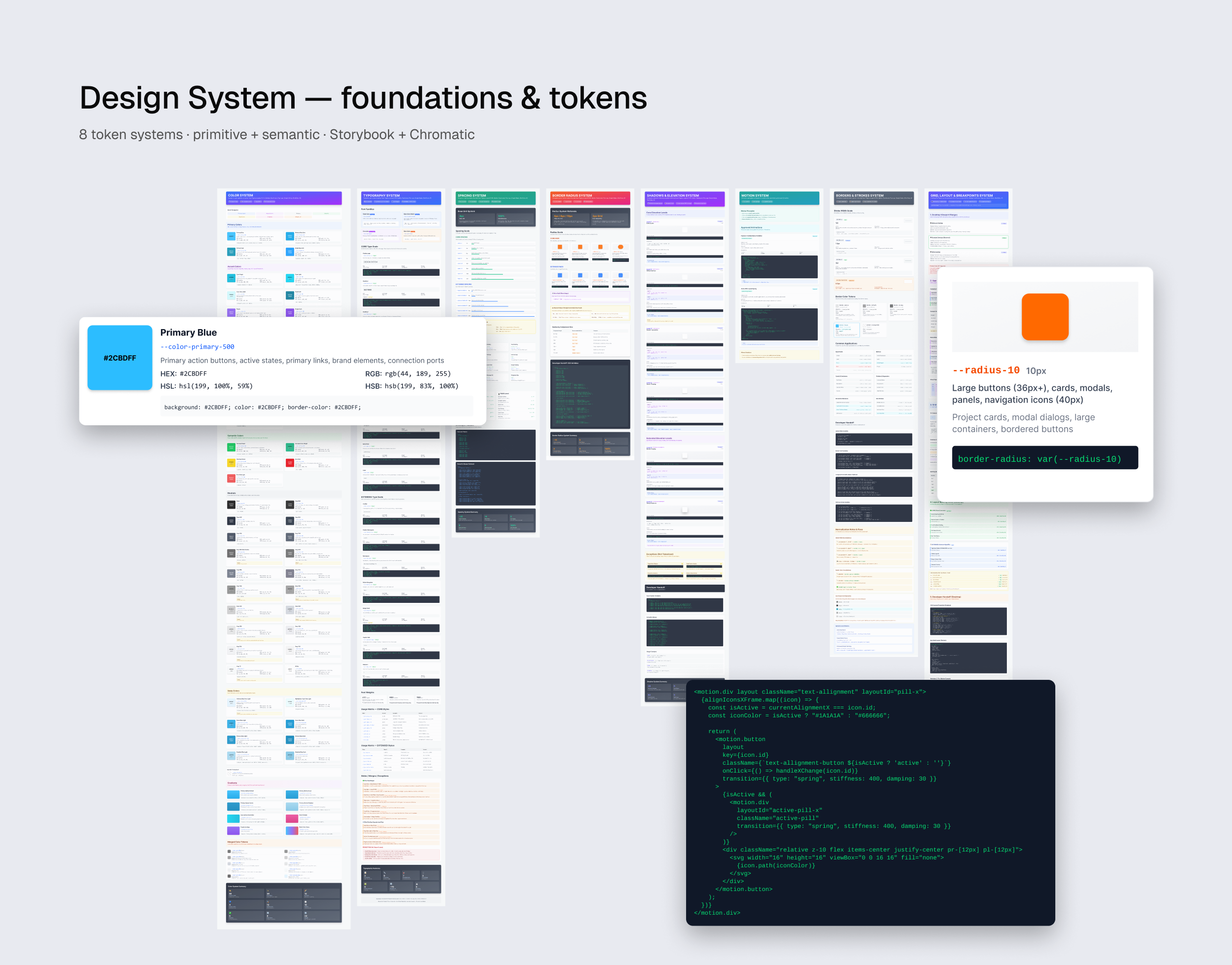
Token architecture: primitive layer + semantic layer for theming and maintenance.

03

STEP

Components

100–150 components, primitive + composite, full state coverage including hover, disabled, error.

04

STEP

Documentation

Usage rules, dos/don’ts, annotated states, composite templates — all inside Figma.

05

STEP

Dev integration

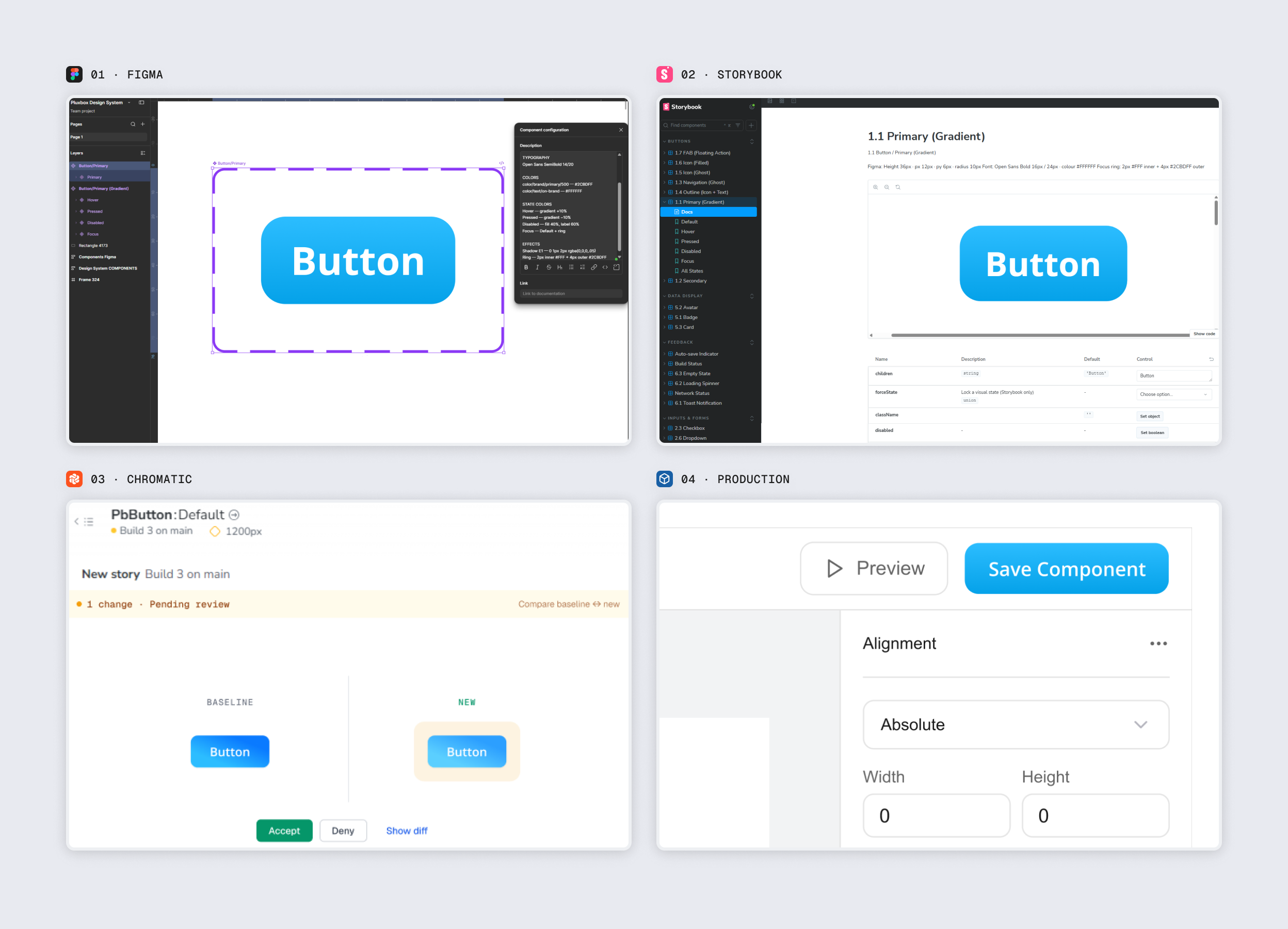
Storybook with composite docs. Chromatic visual diffs on every PR with designer approval in flow.

Process overview diagram

CORE BET

Rolling migration instead of design freeze. New screens go through DS from day one. Existing screens migrate on first touch in feature work. Agreed with PM upfront.

04 — KEY DECISIONS

Seven calls that shaped the system.

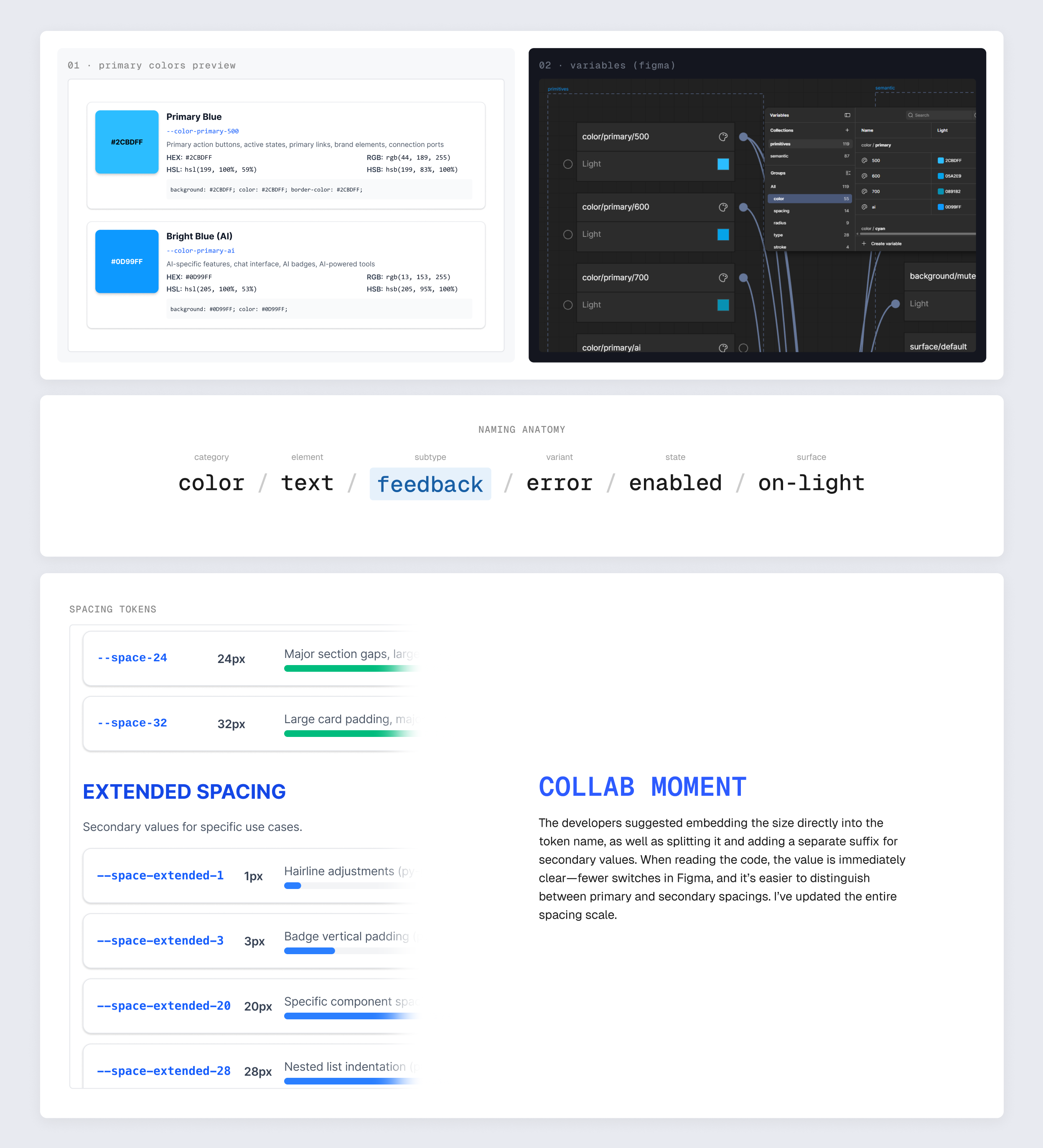
Two-tier token architecture: primitive and semantic layers

02

DECISION

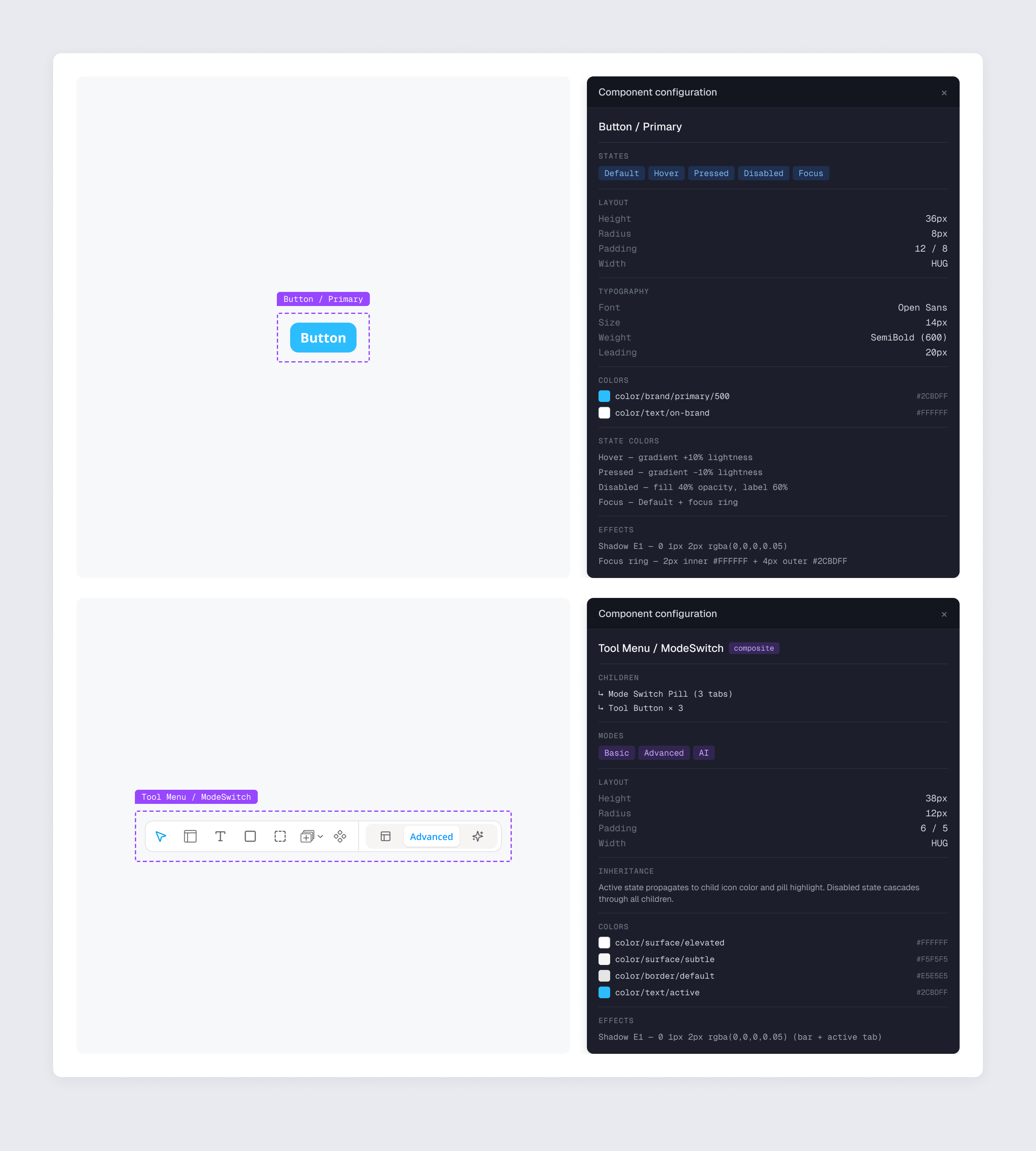
Composite component hierarchy and documentation

Moving from atoms to composites exposed three problems at once: Figma structure didn’t match code, state inheritance wasn’t documentable, Storybook had no pattern for composites. We added a composite tier and a dedicated template.

Composite component hierarchy and documentation

03

DECISION

Rolling migration instead of design freeze

New screens go through DS always, existing ones migrate on first touch. Simple enough to hold even when feature work crowded out migration time. 50–70% of screens migrated over 9 months alongside active delivery.

Rolling migration approach

04

DECISION

Chromatic in the PR flow

Visual bugs used to surface at QA — 3–4 per sprint. Chromatic added visual diffs on every PR with async designer approval. Style breakage became impossible to miss before merge. Result: 82% shipped without rework, sprint fixes down to 0–1.

Chromatic in the PR flow and component lifecycle

05

DECISION

Full state matrix as the definition of “done”

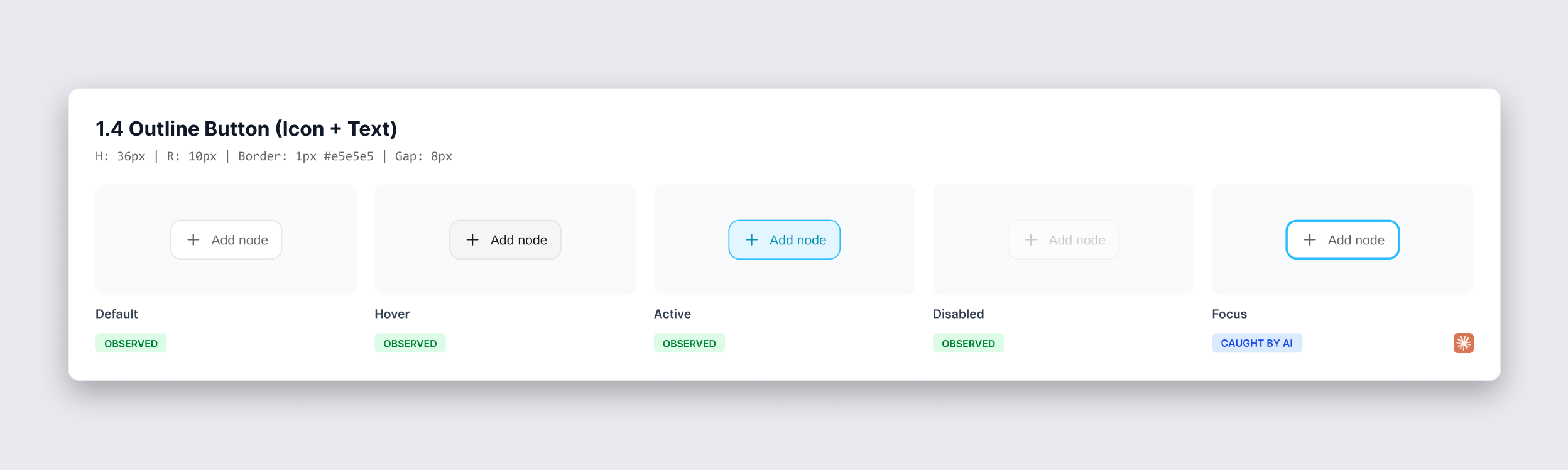
Components existed in default state only — hover, disabled, error were improvised by developers. Making the full matrix a hard requirement removed the guesswork at implementation. AI prompts helped catch edge cases.

Full state matrix as the definition of done

06

DECISION

AI as part of the workflow, not a one-off tool

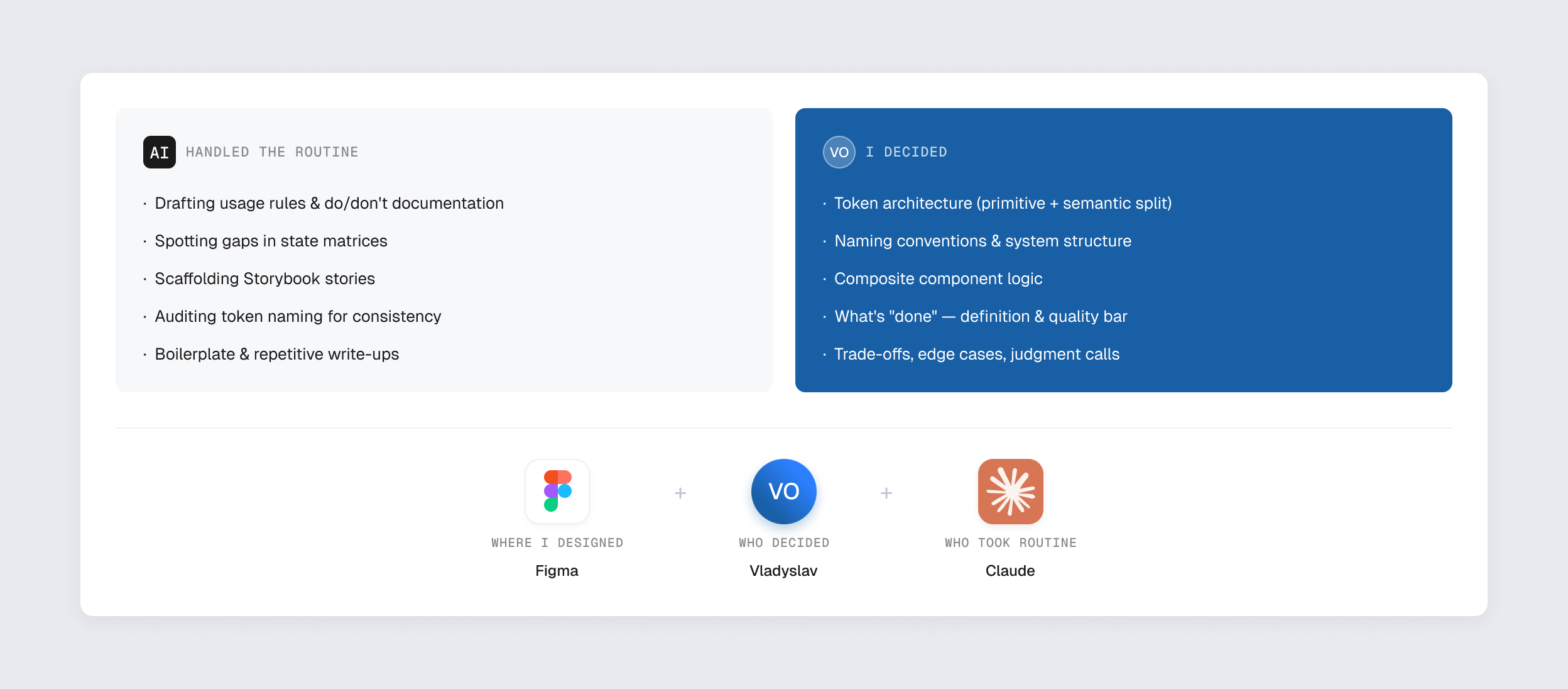
One designer, team-level documentation coverage. AI handled the routine — usage rules, state matrix gaps, Storybook story scaffolding, token naming audits. Decisions stayed with me; AI removed the bottleneck between thinking and writing.

AI as part of the workflow

05 — ARTIFACTS

Created artifacts

01

Figma Library

100–150 components (primitive + composite), Variables/Tokens, full state sets

02

Figma Documentation

Usage rules, dos/don’ts, annotated states, composite templates

03

AI Workflow Guide

Reusable prompts for documentation, state-matrix gaps, Storybook stories, token-naming audits

04

Token Architecture

Primitive + semantic layers, Figma → CSS mapping

05

Handoff Specs

Spacing, typography, states, edge cases — embedded in Figma

06

Storybook

Props, variants, composite components with nesting docs

07

Chromatic

Visual snapshots per PR, designer approval in the flow

06 — WHAT ALSO CHANGED

In the product, in the team.

IN THE PRODUCT

Design and development share one source of truth for the first time. 50–70% of screens are on the DS after 9 months of parallel feature delivery. Migration continues through normal product work — no separate “DS rollout sprint” was ever needed.

IN THE TEAM

Developers stopped pinging the designer with component-level questions — Figma documentation answers most of them. Handoff conversations moved from “what does this do” to “should it do this differently here.” The work moved up a layer.

07 — REFLECTION

What I’d do differently.

01

Run the naming session before the first component

Not as a reaction to a mismatch caught in week two. The convention belongs in the foundation, not in the rework.

02

Track adoption from day one

Reconstructing the picture retrospectively made it harder to show progress to stakeholders. Numbers earn trust faster than narrative.

03

Set governance rules before anyone asks to add a new component

Easier to establish proactively than under backlog pressure. “Who can add” and “how it gets reviewed” should be answered before contributions arrive.

08 — WHAT’S NEXT

Where the system goes from here.

#01

Token sync

Automate Figma Variables → CSS via Style Dictionary or Token Studio.

#02

Theming

Dark mode and per-client themes — the semantic layer is already structured for it.

#03

AI screen assembly

Consistent patterns, clear semantics, full state matrices — the DS is structured to support AI-assisted screen composition.

#04

Governance

Contribution model, review gates, section ownership — needed as the team grows.